The Challenge
- Name: Ask, and It Shall Be Given to You
- Description: The flag is at
ip:port. Unfortunately it seems like the site is down right now :( . Maybe you can ask someone for help? Don't blow up their inbox though :) and make sure you clearly tell them what you want. - Category: Web
- Points: 250
The Solution
- We need to send a
POSTrequest to the URLip:port/contactITwith the following headers and data:POST /contactIT HTTP/1.1 Host: ip:port User-Agent: Mozilla/5.0 (X11; Linux x86_64; rv:109.0) Gecko/20100101 Firefox/115.0 Accept: text/html,application/xhtml+xml,application/xml;q=0.9,image/avif,image/webp,*/*;q=0.8 Accept-Language: en-US,en;q=0.5 Accept-Encoding: gzip, deflate Connection: keep-alive Cookie: role=user Content-Type: application/json Upgrade-Insecure-Requests: 1 {"email": "your_email@email.com", "messege": "flag"}
-
The easiest way to do this is with curl
curl -X POST \
	-d '{"email": "your_email@email.com", "messege": "flag"}' \
	-H "Content-Type: application/json"  \
	ip:port/contactIT
- Check your email for the flag
texsaw{7h15_15_7h3_r34l_fl46_c0n6r47ul4710n5}
The Steps
The Discovery
-
We get an interesting hint in the challenge description of 'Don't blow up their inbox'. To investigate further let's go to the provided ip and port and see what's there.

-
Now I am terrible at seeing things right in front of me ("contact IT") and I was too busy thinking about cranes to be thinking about robots, so after seeing the error
Website down! please contact IT for more information, I ran a fuzzer which places words from a wordlist where the phraseFUZZin in the commandffuf -w Discovery/Web-Content/common.txt -u http://ip:port/FUZZffuf -w Discovery/Web-Content/common.txt -u http://ip:port/FUZZ /'___\ /'___\ /'___\ /\ \__/ /\ \__/ __ __ /\ \__/ \ \ ,__\\ \ ,__\/\ \/\ \ \ \ ,__\ \ \ \_/ \ \ \_/\ \ \_\ \ \ \ \_/ \ \_\ \ \_\ \ \____/ \ \_\ \/_/ \/_/ \/___/ \/_/ v2.1.0-dev ________________________________________________ :: Method : GET :: URL : http://ip:port/FUZZ :: Wordlist : FUZZ: Discovery/Web-Content/common.txt :: Follow redirects : false :: Calibration : false :: Timeout : 10 :: Threads : 40 :: Matcher : Response status: 200-299,301,302,307,401,403,405,500 ________________________________________________ console [Status: 200, Size: 1563, Words: 330, Lines: 46, Duration: 41ms] robots.txt [Status: 200, Size: 61, Words: 13, Lines: 4, Duration: 42ms] :: Progress: [4727/4727] :: Job [1/1] :: 505 req/sec :: Duration: [0:00:11] :: Errors: 0 :: -
And results! There's two found items in the short wordlist we used
/consoleand/robots.txt./consoleis an admin console for Werkzeug which is a library for building web applications in python, it's not related to the solution./robots.txton the other hand could be very useful! Whenever a website is placed on the public web, people can of course visit the site. But people aren't the only thing to visit. The web is full of automated bots and web crawlers which are like little digital spiders which endlessly traverse the web. Once they find your site they report back to big brother about what they see, adding pages to search engines, and logs, and sites like archive.org. The/robots.txtfile is a request to those spiders and bots to not visit, log, or archive the pages listen within the file. (Note: Keyword there being request, nothing forces the crawlers to listen). That said, let's visit therobot.txtfile,ip:port/robots.txtUSER AGENTS: * DISALLOW contactIT DISALLOW countdown -
Here we see two pages
contactIT, which now seems obvious from the challenge description, andcountdown. Let's visitcontactITfirst.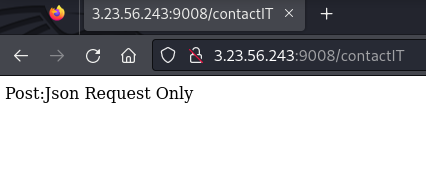
- The message
Post:Json Request Only, tells us exactly what it wants, JSON in a POST request. Let's save this page and visitcountdownquickly.
- The message
-
Visiting
countdownleads us to this page with the background of Pennywise from "It" and the uppercase letters27 YEARS. The HTML is masterclass worthy.
<!DOCTYPE html>
<html>
<body background="static/pennywise.png">
<head>
<style>
body {
color:red;
}
</style>
</head>
<center>
<br><br><br><br><br><br><br><br><br><br><br><br><br><br><br><br><br><br><br><br><br><br><br><br><br><br><br>
<h1>27 YEARS</h1>
</body>
</html>
The Requests
- When we visit a web page, this is what our request looks likes. From the top line we know it's a GET, and the resource we're requesting is the
contactITpage. Everything after the first line, are our headers which show things like our browser, what type of data we accept, our language, compression, cookies and so on.GET /contactIT HTTP/1.1 Host: ip:port User-Agent: Mozilla/5.0 (X11; Linux x86_64; rv:109.0) Gecko/20100101 Firefox/115.0 Accept: text/html,application/xhtml+xml,application/xml;q=0.9,image/avif,image/webp,*/*;q=0.8 Accept-Language: en-US,en;q=0.5 Accept-Encoding: gzip, deflate Connection: keep-alive Cookie: role=user Upgrade-Insecure-Requests: 1 - However we know when we visited the
contactITpage it wanted a POST.
-
So using curl or your favorite proxy like Caido or Burp, let's change just that first line and see what happens.
POST /contactIT HTTP/1.1
Host: ip:port
User-Agent: Mozilla/5.0 (X11; Linux x86_64; rv:109.0) Gecko/20100101 Firefox/115.0
Accept: text/html,application/xhtml+xml,application/xml;q=0.9,image/avif,image/webp,*/*;q=0.8
Accept-Language: en-US,en;q=0.5
Accept-Encoding: gzip, deflate
Connection: keep-alive
Cookie: role=user
Upgrade-Insecure-Requests: 1
Unsupported Media Type Did not attempt to load JSON data because the request Content-Type was not 'application/json'. -
Another error message! Progress! Now the page is a bit upset because it just wants JSON, nothing else. Let's add that restriction,
Content-Type: application/jsonto our POST.POST /contactIT HTTP/1.1 ... Content-Type: application/jsonBad Request Failed to decode JSON object: Expecting value: line 1 column 1 (char 0) -
And one more request issue. We said we were going to send the site JSON, but we didn't. At this point we have no idea what content of the JSON needs to be, so I'm going to send a simple name:value payload
{"test": "123"}to see what happens.POST /contactIT HTTP/1.1 ... Content-Type: application/json {"test": "123"}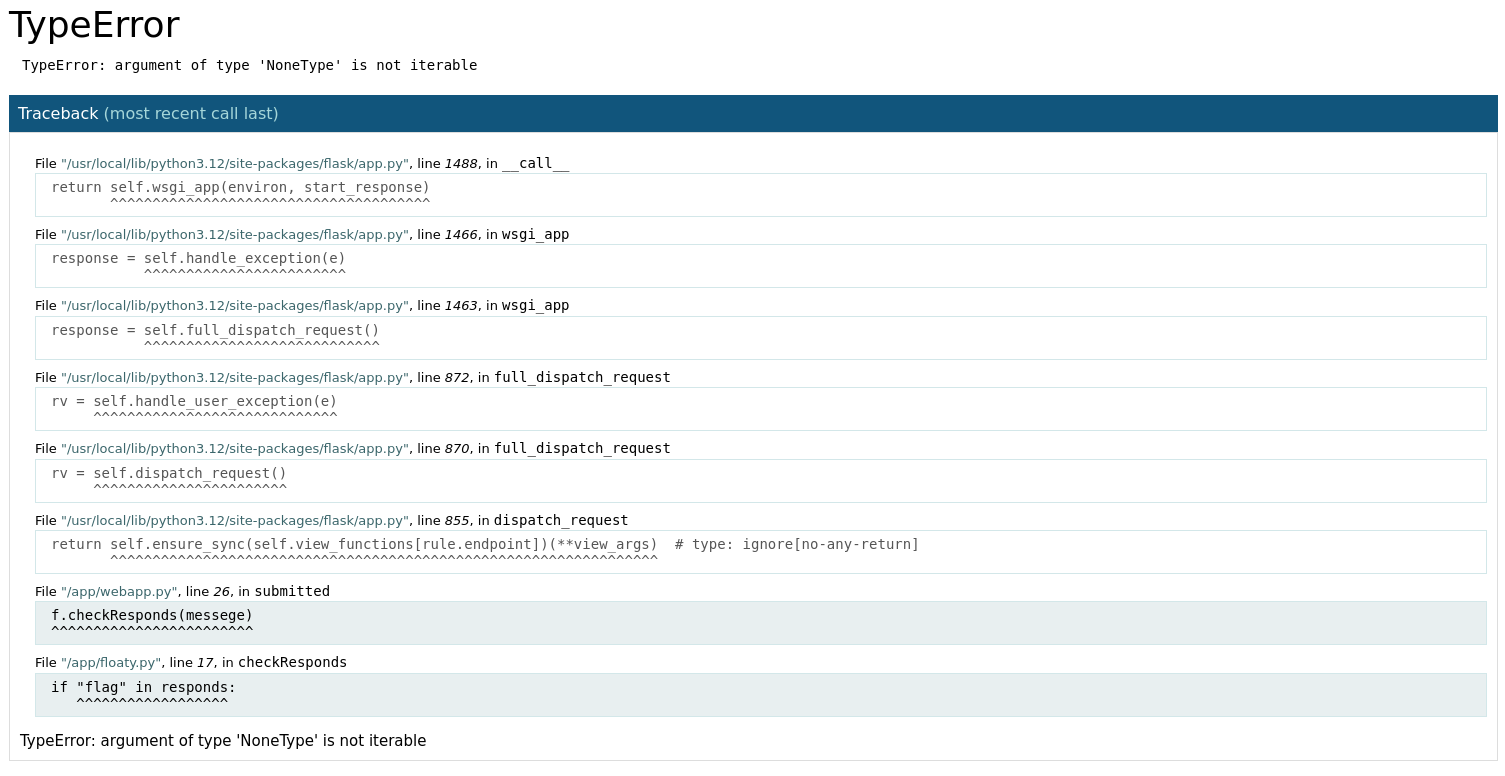
-
And another error, but error-ier. Let's click on the highlighted trace messages to expand them.
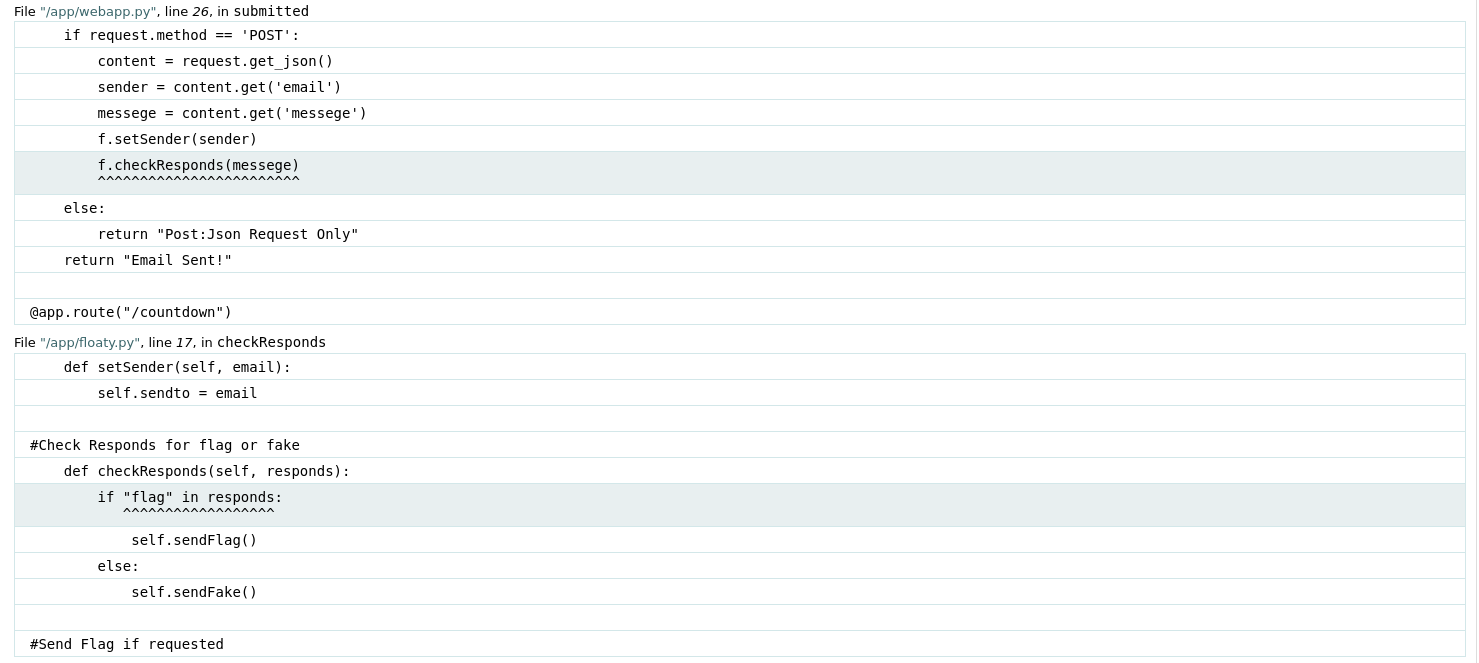
File "/app/webapp.py", line 26, in submitted if request.method == 'POST': content = request.get_json() sender = content.get('email') messege = content.get('messege') f.setSender(sender) f.checkResponds(messege) ^^^^^^^^^^^^^^^^^^^^^^^^ else: return "Post:Json Request Only" return "Email Sent!" @app.route("/countdown") File "/app/floaty.py", line 17, in checkResponds def setSender(self, email): self.sendto = email #Check Responds for flag or fake def checkResponds(self, responds): if "flag" in responds: ^^^^^^^^^^^^^^^^^^ self.sendFlag() else: self.sendFake() -
So this shows us that the web app is having trouble with two functions in two python modules.
- The first,
webapp.pyretrieves our JSON payload, looks for the nameemailandmessege, sets the sender to the value ofemailand then checks the value ofmessege. (Note: The spelling of 'messege', which I spent way too long not doing). Finally we see@app.route("/countdown")which is binding a function to the/countdownpage, seemingly tying the flag and Pennywise together. Interesting. - The second function is
floaty.pywhich verifies the flag and sends either a fake or real flag. Now if you have ever read or seen "It", I'm sorry, it's bizarre, but also we know thatfloatyseems like a direct tie to the clown. Let's try a few requests using some clown related things as our messege payload, and our email to hopefully receive the flag. Since the headers stay the same I'll only show the JSON data.
- The first,
-
The first payload I attempted was
{"email": "my_email@email.com","messege": "27 YEARS"}, you know, that big red text which is clearly the secret. Quite pleased with myself, I received an email notification, opened it up and saw the messageTh15_15_n0t_Th3_flA9_trY_a9a1n. Not ready to believe this fate, I wrapped the message intexsaw{}and tried to submit it, it didn't work. Darn :( -
Let's look at some other variations which all led to the same fake flag:
{"email": "my_email@email.com","messege": "1997"}(2024 - 27){"email": "my_email@email.com","messege": "pennywise"}{"email": "my_email@email.com","messege": "pennywise.png"}{"email": "my_email@email.com","messege": "countdown"}{"email": "my_email@email.com","messege": "AAAAAAA"}
-
We're missing something. Revisiting the challenge description, the last sentence "make sure you clearly tell them what you want", Led me to think about what I wanted (other than happiness, stability, and all that nonsense). The flag! I want the darn flag! I sent the payload
{"email": "my_email@email.com","messege": "flag"}, received that notifiction and boomtexsaw{7h15_15_7h3_r34l_fl46_c0n6r47ul4710n5}- The clown was quite literally a red herring. Devious.